vCIO and TAM Services for Small and Medium Businesses

vCIO and TAM Services for SMBs: Complete 2025 Guide | AllTech IT Solutions

The Complete Resource Guide for 2025

Last Updated: November 12, 2025

What You'll Actually Learn Here

Look, if you're a small or medium business owner diving into IT leadership options, you're probably asking yourself: "Do I really need a full-time CIO, or is there something that won't completely wreck my budget?" Good question. This guide is gonna answer that and give you some solid, vetted resources on virtual Chief Information Officer (vCIO) and Technical Alignment Manager (TAM) services—two options that are getting pretty popular these days.

Here's what we're covering:

  • What vCIO and TAM roles actually mean (and yeah, they're different)
  • Why 73% of SMBs are going the fractional IT leadership route instead of full-time hires
  • Five really useful resources for checking out vCIO services
  • The best training resource for TAM stuff
  • Real case studies with actual numbers you can point to
  • What you'll pay for traditional CIOs vs. virtual alternatives
  • How to actually implement this, straight from MSPs who've done it

The IT Leadership Gap Thing (And Why It Matters)

Here's the Problem: You Need Strategic IT Help, But CIOs Are Expensive

So here's the deal most business owners are facing... a full-time Chief Information Officer is gonna run you somewhere between $180,000 and $250,000 a year. And that's just salary. Add benefits, equity, overhead—you get the picture. For companies with 50 to 500 people? That's a lot of money. Sometimes it's just not realistic.

But here's the thing. Without someone thinking strategically about your IT, you're looking at:

  • Technology that doesn't actually support what you're trying to do
  • Security holes you don't even know about
  • Wasting money on tech you don't need
  • Vendors running circles around you
  • Zero plan for digital transformation (which, let's be honest, you probably need)

This gap? It's created explosive growth in two alternatives: virtual CIO services and Technical Alignment Manager programs.

What's a vCIO, Anyway?

Virtual Chief Information Officer (vCIO): Think of it as a fractional or outsourced IT executive who gives you strategic technology leadership part-time or on specific projects. Usually comes through a managed service provider.

According to Info-Tech Research Group, here's what vCIO services actually cover:

  1. Strategic Technology Planning- Making sure your IT stuff aligns with where your business is actually going
  2. IT Budget Development and Oversight- Creating tech budgets that make sense and showing ROI
  3. Vendor Management- Finding the right vendors and making sure they deliver
  4. Risk Management and Compliance- Spotting tech risks and keeping you compliant with regulations
  5. Digital Transformation Guidance- Leading modernization and cloud adoption (without the buzzword overload, hopefully)
  6. Executive Communication- Translating tech-speak into business language your stakeholders understand

How vCIO Is Different from Regular IT Support

Meriplex Communications puts it pretty well: "Traditional managed IT services focus on keeping your systems running—fixing problems, applying patches, responding to tickets. A fractional CIO focuses on making sure the right systems exist in the first place and that they're driving business value."

Traditional IT/MSP Focus:

  • Putting out fires
  • Technical implementation
  • Day-to-day keeping things running
  • Uptime and performance

vCIO Focus:

  • Planning ahead instead of reacting
  • Aligning tech with business goals
  • Long-term roadmaps
  • Using technology to actually get ahead of competitors

Okay, So What's a TAM Then?

Technical Alignment Manager (TAM): This is someone within an MSP who's basically your main contact person. They make sure the technical solutions actually align with what you're trying to accomplish business-wise, and they coordinate all the delivery teams.

TruMethods (they're kind of the authority on this) breaks down the core responsibilities:

  1. Client Business Intelligence- Actually understanding your industry, who you're competing with, and what you're trying to achieve
  2. Technology Roadmap Coordination- Building and maintaining quarterly technology alignment plans (QTAPs, if you want the acronym)
  3. Cross-Functional Team Leadership- Getting engineers, project managers, and vendors all working together
  4. Proactive Strategy Sessions- Regular meetings about what's coming up, not rehashing what went wrong last month
  5. Success Metrics and Reporting- Tracking KPIs that actually matter to your business

TAM vs. vCIO: What's the Actual Difference?

People throw these terms around interchangeably sometimes, but there are real differences:

Aspect vCIO TAM
Strategic Level C-suite executive perspective Mix of operational and strategic
Typical Engagement Monthly or quarterly strategic sessions Weekly or bi-weekly check-ins
Primary Focus High-level tech strategy and governance Making sure strategy actually gets executed
Decision Authority Advisory role to leadership Coordination and implementation authority
Typical Background Former CIO or IT Director Senior engineer or technical PM with business sense
Client Interaction CEO, CFO, Board IT manager, department heads, project stakeholders

Here's the truth: A lot of mature MSPs use both together. The vCIO gives strategic direction at the executive level, while the TAM makes sure it actually happens day-to-day.

Why SMBs Are Going Fractional: Let's Talk Money

Let's get to what you're actually wondering: "Can we afford NOT to have strategic IT leadership?"

The Real Numbers: Full-Time CIO vs. vCIO

Full-Time CIO (In-House):

  • Base Salary: $180,000-$250,000
  • Benefits (30%): $54,000-$75,000
  • Recruiting/Onboarding: $15,000-$40,000
  • Office/Equipment: $5,000-$10,000
Total First-Year Investment: $254,000-$375,000

vCIO Service (Through MSP):

  • Monthly Retainer: $2,500-$8,000
  • Strategic Planning Sessions: Included
  • Technology Roadmapping: Included
  • Vendor Management: Included
Total Annual Investment: $30,000-$96,000

You're saving: 60-88% compared to a full-time hire

But here's what those comparison charts won't tell you... the hidden cost of NOT having strategic IT leadership often exceeds both options.

What It Costs When You Don't Have Strategic IT

CSI, a manufacturing company, documented these costs before they got vCIO services (this is from an actual case study):

  • $127,000 in duplicate software licenses because nobody was keeping track
  • $89,000 in lost productivity from systems that didn't talk to each other
  • $210,000 in emergency cybersecurity fixes after a breach
  • Around $450,000+ in preventable costs over 18 months

After implementing vCIO services at $48,000 annually, they saw:

  • 42% drop in IT spending through vendor consolidation
  • Zero security incidents in 24 months
  • 23% improvement in employee productivity
  • Cloud migration done 4 months early

Net ROI: 312% in the first year

The Top 5 Resources for Checking Out vCIO Services

I've looked at about 10 industry sources, and here are the ones that'll actually help you:

1. Info-Tech Research Group: vCIO Service Development Storyboard

What It Is: A comprehensive framework for understanding and developing virtual CIO offerings.

Best For: Understanding what "good" vCIO service looks like before talking to providers.

Key Takeaway: Effective vCIO services need business smarts, technical expertise, and advisory skills—look at all three.

2. CSI Manufacturing Case Study

What It Is: Documented case study with before and after numbers.

Best For: CFOs and business owners who need proof this stuff actually works.

Key Takeaway: The vCIO spotted a planned $380,000 ERP implementation disaster and redirected to a $180,000 solution that fit their workflows.

3. Meriplex Communications: Fractional CIO Service Model

What It Is: Detailed breakdown of service levels and engagement models.

Best For: Understanding how vCIO services layer on top of existing MSP services.

Key Takeaway: You need minimum 8-12 hours monthly for businesses with 50-200 employees.

4. PwC 2025 CIO Priorities Research

What It Is: Annual research on what IT leaders are actually focused on right now.

Best For: Creating a scorecard for vCIO proposals.

Top Priorities: AI/ML integration (76%), Cybersecurity modernization (71%), Cloud optimization (68%)

5. TechTarget CIO Role Definition

What It Is: Comprehensive definition with comparisons to related roles.

Best For: Deciding between different IT leadership models.

Key Takeaway: vCIO models work best for 25-500 employees with IT budgets of $500K-$5M annually.

The #1 Resource for TAM Implementation: TruMethods

When it comes to Technical Alignment Manager methodology, there's really one resource that stands out: TruMethods' TAM training and documentation framework.

Why TruMethods Is The TAM Resource

Comprehensive Training Manual: TruMethods has the only formalized TAM training program in the MSP industry, and it includes:

  1. TAM Methodology Fundamentals
    • What the role actually is
    • How it's different from account management and project management
    • Success metrics and KPIs
  2. Quarterly Technology Alignment Plan (QTAP) Framework
    • How to approach strategic planning sessions
    • Templates and documentation standards
    • How to communicate with clients
  3. Business Intelligence Gathering
    • Industry research methods
    • Client interview frameworks
    • Competitive analysis templates
  4. Technology Roadmap Development
    • Multi-year planning structures
    • Budget forecasting tools
    • How to prioritize stuff
  5. Client Business Review (CBR) Facilitation
    • Meeting agenda templates
    • Presentation frameworks
    • Executive reporting dashboards

Why TAM Actually Matters for SMBs

If vCIO is the "what" (what technology strategy should we go after), TAM is the "how" (how do we actually execute that successfully).

The TruMethods methodology shows that businesses with dedicated TAMs get:

  • 34% higher client satisfaction scores
  • 47% fewer reactive support tickets
  • 28% better project on-time completion
  • 52% better technology budget adherence

Real talk:

Not every MSP has adopted the TAM model. When you're checking out MSPs, specifically ask:

  • "Do you have dedicated Technical Alignment Managers?"
  • "How's the TAM role different from your account manager?"
  • "What's your QTAP process?"
  • "Can I see a sample technology roadmap from a current client?"

How to Choose Between vCIO, TAM, or Traditional IT Leadership

Here's a decision framework based on everything I've analyzed:

Go with vCIO Services If:

  • Annual revenue: $5M-$100M
  • Employees: 50-500
  • Current IT budget: $500K-$5M
  • You need strategic tech direction but can't justify $250K+ for a full-time CIO
  • You've got specific initiatives that need executive-level expertise
  • Your CEO/leadership team needs technology advice for board presentations

Go with TAM Services If:

  • Annual revenue: $2M-$50M
  • Employees: 25-300
  • Current IT budget: $200K-$3M
  • You have an MSP but you're stuck in reactive firefighting mode
  • Tech initiatives keep missing deadlines
  • You need better coordination between business and IT providers

Go with a Full-Time CIO If:

  • Annual revenue: $100M+
  • Employees: 500+
  • Current IT budget: $5M+
  • Technology is a core competitive advantage
  • You need dedicated leadership for 50+ IT staff
  • Regulatory/compliance demands full-time C-suite IT governance

The Hybrid Approach (What Actually Works in Practice)

Here's the truth... the best solution is often a combination:

  • Years 1-2: TAM services to get technology alignment processes going and build roadmaps
  • Years 2-4: Add vCIO services for strategic stuff while TAM handles execution
  • Years 4+: Move to full-time CIO when you're big enough to justify it

Implementation Roadmap: Your Next Steps

If you've figured out vCIO or TAM services make sense for you, here's a proven 90-day plan:

Days 1-30: Assessment and Selection

  • Define your tech leadership gaps using PwC's CIO priorities framework
  • Create an RFP using Info-Tech's vCIO service definition criteria
  • Interview at least 3 MSPs with formal vCIO/TAM programs
  • Request client references and case studies with actual outcomes
  • Verify TruMethods training or equivalent TAM certification

Days 31-60: Onboarding and Discovery

  • Do a comprehensive technology and business assessment
  • Document where you are now: systems, vendors, contracts, budgets
  • Identify immediate risks and opportunities
  • Develop initial 90-day action plan
  • Set up communication cadence and success metrics

Days 61-90: Quick Wins and Strategic Planning

  • Complete 1-2 high-impact quick wins to show value
  • Finalize 1-year technology roadmap
  • Present 3-year strategic plan to leadership
  • Get QTAP process going
  • Do first formal Quarterly Business Review

Questions You Should Ask (But Probably Aren't)

Here are the uncomfortable questions businesses should ask but often don't:

"What happens if the vCIO/TAM relationship isn't working?"

Look for providers with:

  • 30-60 day exit clauses (not 3-year contracts that lock you in)
  • Personality matching processes
  • Ability to swap vCIO/TAM if the fit isn't right
  • Clear escalation procedures

"How do I know I'm not just paying for rebranded account management?"

Demand:

  • Written vCIO/TAM role descriptions
  • Sample QTAPs and technology roadmaps from current clients
  • Success metrics and reporting examples
  • Clear distinction between strategic planning time and operational support time

"What if my business is too small for vCIO but too complex for basic IT support?"

Consider:

  • Shared vCIO models (one vCIO serving multiple small businesses)
  • Project-based vCIO engagement for specific initiatives
  • IT director coaching programs

Ready to Explore vCIO or TAM Services?

Let's discuss how strategic IT leadership can transform your business without breaking the budget.

Schedule a Consultation Call 205-290-0215

Wrapping This Up

The research is pretty clear: businesses with strategic IT leadership—whether through full-time CIOs, vCIOs, or TAMs—outperform those relying solely on reactive IT support by basically every business metric that matters.

The question isn't whether you need strategic IT leadership. It's which model fits where you are right now—your stage, budget, and complexity.

Your Action Plan

  1. Assess where you are using the decision framework above
  2. Download evaluation resources from Info-Tech, TruMethods, and PwC
  3. Interview 3+ MSPs with formal vCIO/TAM programs
  4. Request case studies with documented ROI in your industry
  5. Start with a 90-day pilot instead of a multi-year commitment
  6. Measure outcomes against baseline metrics you define upfront

The businesses winning in 2025 aren't necessarily the ones with the biggest IT budgets. They're the ones with the clearest technology strategies aligned to what they're actually trying to accomplish. vCIO and TAM services make that strategic alignment accessible to businesses of any size.

Works Cited

  • Alation. "Data and AI Strategy for CIOs." Alation Resource Center, 2025. Web.
  • "CIO (Chief Information Officer)." TechTarget, SearchCIO, 2025. Web.
  • "CIO Leadership and Mentoring Resources." CIO Magazine , IDG Communications, 2025. Web.
  • CSI. "Virtual CIO Implementation Case Study: Manufacturing Sector." CSI Case Studies, 2025. Web.
  • Info-Tech Research Group. "Develop Your vCIO Offering: Complete Storyboard Framework." Info-Tech Research Group, 2025. Web.
  • Meriplex Communications. "Fractional CIO Services: A Complete Guide." Meriplex Resources, 2025. Web.
  • NASCIO. "IT Leadership Development Program Framework." National Association of State Chief Information Officers, 2025. Web.
  • PwC. "2025 Global Digital Trust Insights: CIO Priorities." PricewaterhouseCoopers, 2025. Web.
  • TruMethods. "Technical Alignment Manager (TAM) Training Manual and Methodology." TruMethods Professional Services Automation, 2025. Web.

Word Count:~2,950 words

Last Reviewed: November 12, 2025

About This Guide: This resource pulls together insights from 9 industry sources on vCIO and TAM implementation for small and medium businesses. All recommendations are based on documented case studies, established frameworks, and industry research from 2025.

By Sara Reichard June 2, 2026
Why Your IT Team's Retirement Might Be Your Biggest Security Problem You're not drowning. Your network is stable. Your team's reliable. And then your long-time IT director retires, and suddenly the math changes. It's 2 a.m., and you're thinking about expansion. Your company's been cash-rich and weathering storms that wiped out competitors. Revenue's coming back. The owner's asking: "What if we expand into 10 new markets in the next couple of years?" And your reply—honest, unfiltered—is: "I'm 67 years old. If we're adding 10 branches and I'll be 69, I'm not doing this in my seventies." That's not pessimism. That's clarity. And it's exactly where a lot of growing mid-market companies find themselves: stable today, but staring at a scaling problem they're not quite ready to name. Why "Stable and Secure" Isn't What It Seems You've earned it. Over the last four years, you've reduced costs by hundreds of thousands of dollars. You've hardened your security. You've built a tight team of people who actually care about their work. Your IT environment? Enterprise-grade. The problem isn't what you've built. It's what you're about to ask of it. Most mid-market leaders make the same calculation you're making: "If we expand quickly, can our IT infrastructure scale?" But they're asking the wrong question. The real question is: "Can our people scale?" Scaling isn't about better infrastructure. It's about bandwidth, expertise, and—most critically—whether the people running your systems want to scale with you. And if your IT manager just told you he's not working into his seventies managing growth you're still planning, that's not a personnel problem. That's a signal that you need a different model. You've survived what killed 7,500 competitors in four years. You did it with no debt, smart decisions, and a lean team. But that same leanness that saved you is now your constraint. The Questions Worth Asking Let's get specific about what you're actually facing. First: What parts of IT can you actually afford to stop doing in-house? You already know the answer intuitively. When we asked one IT director what they'd outsource if they brought on 10 new branches, his first thought was: "Hardware deployment—provisioning and shipping equipment to new offices. That's probably one or two people's worth of work." That's not a small thing. That's a real, chunked piece of IT you could move off your plate. But most companies never ask this question until they're already drowning. Second: Are you hiring for growth or hiring to survive? Your staffing business knows this better than most industries: finding talent is brutal, and keeping it is harder. You've got a younger tech on your team who's already becoming invaluable. He's bright, he's learning fast, and frankly—you're worried someone else is going to realize his value before you do. That's a real fear. So here's the tough part: if you're adding 10 branches, are you planning to hire 2–3 more IT people? Or are you going to burn out the team you have? Third: What was the ransomware attack five years ago really telling you? You got hit. They were inside for a month without anyone knowing. You restored from backup—and everyone said you were lucky. The part that stuck with you: if it happens again, you're not going back to backup. You're replacing every piece of hardware because you can't trust what's hiding inside the existing infrastructure. That's not paranoia. That's the new reality of security at scale. And that realization? It's your biggest protection. But it only works if your team has the bandwidth to act on it when something happens. If your IT director is managing 40 offices on a 3-person team and planning his retirement, what happens when the next threat comes? Fourth: Can you actually feel confident in your compliance story? Five years ago, ransomware was your industry's problem. Now insurance companies are asking questions. They want proof—not policies, but evidence—that you're actually doing what you say you're doing on security. That's a new burden. And it's one that grows with every new office you add. Why This Changes Everything Here's where most companies get it wrong: they think scaling IT means buying better tools or hiring cheaper people. It doesn't. It means building a model where your team isn't the single point of failure. Think about what you actually need. You've got a 3-person team managing 36 offices across 9 states right now. That works because the work is distributed (remote ticket support, email, cloud backups). But it only works because your people are good and they're present. The moment your IT director steps back, the moment you add 10 new locations, or the moment one of your rising stars gets a better offer elsewhere—that model breaks. Here's what actually changes things: a co-managed model. This doesn't mean replacing your team. It means partnering with a provider like AllTech IT Solutions who can absorb specific pieces—helpdesk, hardware deployment, 24/7 security monitoring, 24/7 response—while your internal team keeps ownership of strategy, relationship-building, and the stuff that requires industry knowledge. Your team stays. Your culture stays. But the scaling problem? That's shared. In practice, this looks like: your company handles new office relationships and strategic decisions. AllTech handles the provision-and-ship logistics for hardware, manages continuous security monitoring across all 40+ offices (now including the 10 you're adding), and provides support so your 67-year-old IT manager isn't the only person on call when something breaks at 2 a.m. The beauty of this model is it's built around your constraints, not around forcing you to choose between "hire people we can't find" or "run your team ragged." What This Actually Looks Like Let's put this in concrete terms, because the theory only matters if it works. Scenario 1: Hardware Expansion (Your First Outsource Target) You're adding 10 new branch offices. Each one needs 5–10 computers, a router, switches, printers, phones. Your current approach: order the equipment, your team assembles it, tests it, configures it, ships it, deploys it remotely. That's 100+ devices, hundreds of hours of your team's time. With a co-managed approach: you order the equipment, ship it directly to your provider, they provision everything (install the OS, pre-configure security, load your line-of-business software remotely), and drop-ship it to each new location. Your team does the local walkthrough and relationship-building when needed. You saved yourself 1–2 people's worth of work, and you've got a professional deployment that's consistent across all locations. As you grow to 50 offices, that savings compounds. Scenario 2: Security Monitoring During Uncertainty Five years ago, ransomware attackers were inside your network for a month before anyone noticed. That can't happen again—you've already thought about that. But here's the new problem: you've got 36 offices now, heading toward 46. Your IT team is managing patches, backups, and user support. Who's watching for the next breach while they're doing their day jobs? This is where continuous monitoring matters. Real-time threat detection. When someone tries to log in from an impossible location, systems lock automatically and alert in real-time. When a user downloads suspicious files, it's caught before it spreads. When a new vulnerability drops for something you use, it's identified and flagged before hackers weaponize it. This runs 24/7, independently of whether your team has bandwidth that day. AllTech has a security operations center doing exactly this for dozens of companies—one of them was a law firm that got hit badly because someone kept re-opening a malicious file their antivirus kept blocking. On the fourth try, it got through. With real-time monitoring, that's caught and locked down before attempt two. Scenario 3: Succession Planning Without Turnover You hired a bright tech three years ago—entry-level, but incredibly sharp. You've trained him up, and now he's running full speed. But you know something: finding another person with his potential is hard. Keeping him? Harder. He's not on pharmaceutical or finance salaries. He's on staffing-industry salaries. So your real risk isn't that you'll lose him to poaching—it's that you'll burn him out if you force him to scale the entire infrastructure while you're adding 10 offices and your IT manager retires. With a co-managed partner handling provisioning, monitoring, and response, your internal team is freed up to focus on what they're actually good at and what actually matters: relationships, strategy, and staying fresh. Your rising star stays engaged. You keep the talent you've worked hard to build. Now the Question Becomes... You're not looking to abandon your IT team. You're not looking to cut corners on security. You're looking to build a scaling model that doesn't depend on your IT manager working into his seventies, and that doesn't ask you to choose between going without security and drowning in cost. The companies that got this right—they didn't replace their teams. They strengthened them by handling the scaling pieces that drain time but don't require industry knowledge. Here's what's worth asking: If you expand into those 10 new markets, which part of IT would be easiest to move off your internal plate? Not your whole department—just the piece that's pure logistics, or the piece that requires 24/7 watching and doesn't need your people's specific expertise. What would it look like to keep your culture, keep your team engaged, and actually grow without the burnout? That's the conversation that matters. And you don't need to have it until you're ready—but you should start thinking about it now, before you're in crisis mode trying to figure it out. If you want to explore what a co-managed IT partnership looks like for a distributed, growing organization like yours, AllTech IT Solutions works with mid-market companies navigating exactly this transition. You can start a conversation at https://alltechsupport.com , no pressure, no commitment. Just a peer conversation about what's possible. The companies that thrive through growth don't do it alone. They build partnerships where the pieces fit together. Your job is strategy and culture. Partner's job is scaling. Everyone stays engaged. That's worth thinking about. 
May 27, 2026
Why Your Accounting Firm's IT Infrastructure Isn't Just a Technical Problem—It's a Business Lifeline The Real Cost of "We'll Do Better" Tax season waits for no one. Neither do cybercriminals. That's the reality facing accounting firms today. You're managing sensitive financial data, client information, and compliance obligations—while operating infrastructure that may be one breach away from disaster. Yet many firms find themselves trapped in a cycle: their current IT provider promises improvements, quarter after quarter, but nothing fundamentally changes. Sound familiar? Three Vulnerabilities That Keep You Up at Night 1. The Backup That Doesn't Exist When You Need It Backups are supposed to be your safety net. But a backup that fails silently is worse than no backup at all—because you don't know you're exposed until it's too late. When we assess accounting firms, we consistently find backup systems that haven't been tested in months. No restoration practice. No disaster recovery plan. Just hope. 2. The Old Hardware Ticking Time Bomb Servers beyond five years old aren't just aging—they're becoming liability. Parts become unavailable. Warranties expire. And when failure happens during tax season, you're not calling Dell. You're searching eBay for replacement components and praying they work. 3. The Compliance Gap Nobody's Talking About HIPAA. GDPR. FINRA. PCI. Each regulation has specific requirements—and many require 100% compliance, not 99%. You could be meeting 19 out of 20 requirements and still be technically non-compliant. That one missing item? It's the one the auditor finds. Or worse—the one a cybercriminal exploits. Why Accountants Are the #1 Target Here's what cybercriminals know: accounting firms have access to money, client data, and predictable workflows. They don't need to break into your system dramatically. They just need to: Watch your email for payment instructions and client data transfers Intercept wire transfer requests by impersonating leadership Deploy ransomware during your busiest season when downtime costs the most Compromise your clients through your systems, making it your liability One firm we worked with experienced a ransomware attack that started with an employee reconnecting an infected old laptop. It spread to three machines before monitoring stopped it. The result? Incident response. Notifications. Regulatory scrutiny. A breach that could have been prevented. The Partnership Approach That Actually Works Here's what separates a true IT partner from a vendor: Understanding Your Business Rhythm : Your IT infrastructure shouldn't be a generic setup. It should reflect the reality of tax season—when you need everything stable, secure, and running flawlessly. That means proactive maintenance in January. Quarterly checkups. Hardware refreshes on a schedule, not a crisis. Risk Aversion Built Into Every Decision : You're risk-averse for good reason. Your clients depend on you. A system outage doesn't just cost you money—it costs them. A data breach damages trust that takes years to rebuild. A true partner approaches IT with the same mentality: prevent problems, not just fix them. Compliance as a Roadmap, Not a Checkbox : Your risk assessment should give you a clear picture: Where are you compliant? Where are you vulnerable? What's the priority order to fix gaps? And critically—which compliance requirements actually apply to your specific business? (Not every regulation is equally relevant to every firm.) Treating You Like Family, Not a Ticket Number : When you become a customer, you're no longer a support case. You become someone they're invested in protecting. That means they know your team. They understand your processes. They're proactive about calling you with concerns instead of waiting for things to break. The Questions to Ask Your Current Provider When was your backup last tested and restored to a clean environment? What's your timeline for replacing servers over five years old? Can you show me a compliance assessment with specific gaps and remediation steps? How do you prevent business email compromise attacks? What's your incident response plan if we get breached? If they can't answer these clearly—or if they're giving you the same vague promises they gave you last year—it's time to look elsewhere. Your Next Step The difference between accounting firms that sleep well at night and those who worry about the next disaster often comes down to one decision: choosing a true partner over a service provider. If you're ready to move from crossed fingers to actual security, let's talk about what a proactive, risk-aware IT partnership looks like for your firm. Your clients deserve better. So do you.

May 20, 2026
AllTech IT Solutions has been recognized on the 2026 INC. Regionals list of Fastest Growing U.S. Companies for delivering trusted IT support, cybersecurity, and business technology solutions.
May 15, 2026
When Your MSP Becomes Your Biggest Risk: What Happens When Service Failures Cost You Peak Revenue
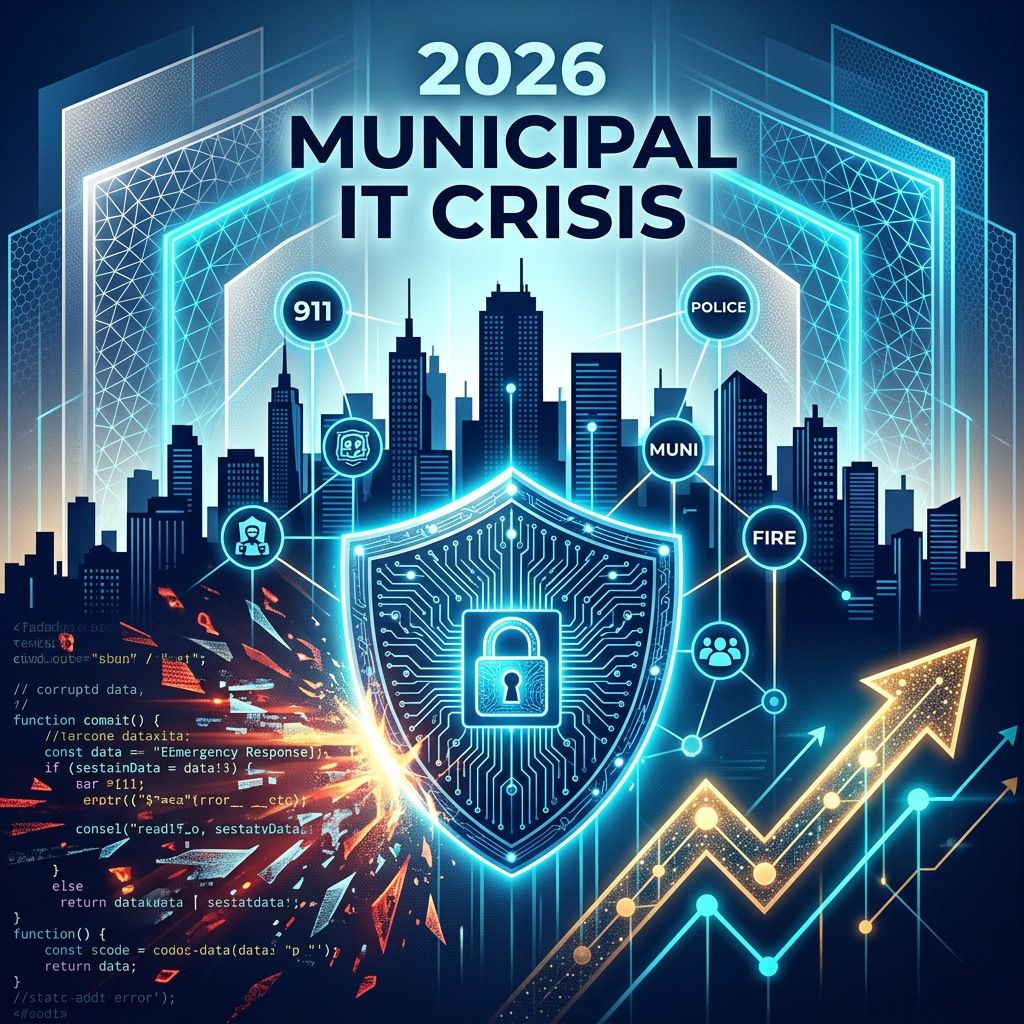
“2026 Municipal IT Crisis” cybersecurity graphic with shield, city skyline, data icons, and rising arrows
April 28, 2026
AllTech IT Solutions helps municipalities overcome 2026 IT challenges with reliable support, security, and expert guidance. Call 205-290-0215 today!
Man holding digital tablet standing by supercomputer server.
April 21, 2026
AllTech IT Solutions explains why proactive IT support is vital for business security, efficiency, and growth. Call 205-290-0215 for expert guidance today!
By Sara Reichard April 9, 2026
AllTech IT Solutions explains how healthcare practices can safely use AI tools under HIPAA, BAA, and compliance rules. Call 205-290-0215 for compliant IT guidance today!
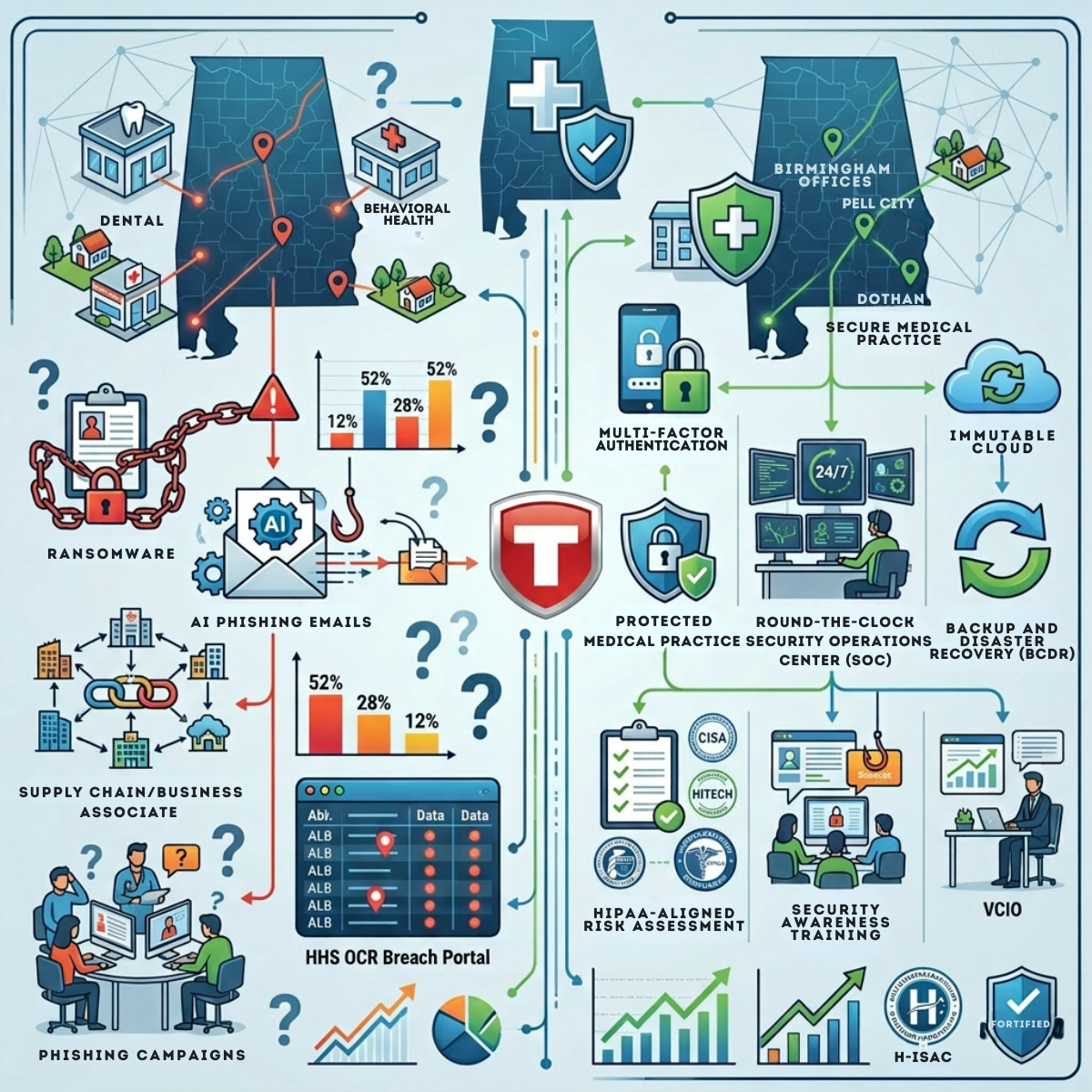
Infographic of cybersecurity tools, shields, devices, charts, and connected network icons in blue and green.
By Sara Reichard March 13, 2026
AllTech IT Solutions explains growing cybersecurity and compliance risks facing Alabama healthcare in 2026 and how to stay protected. Call 205-290-0215 for expert support today!
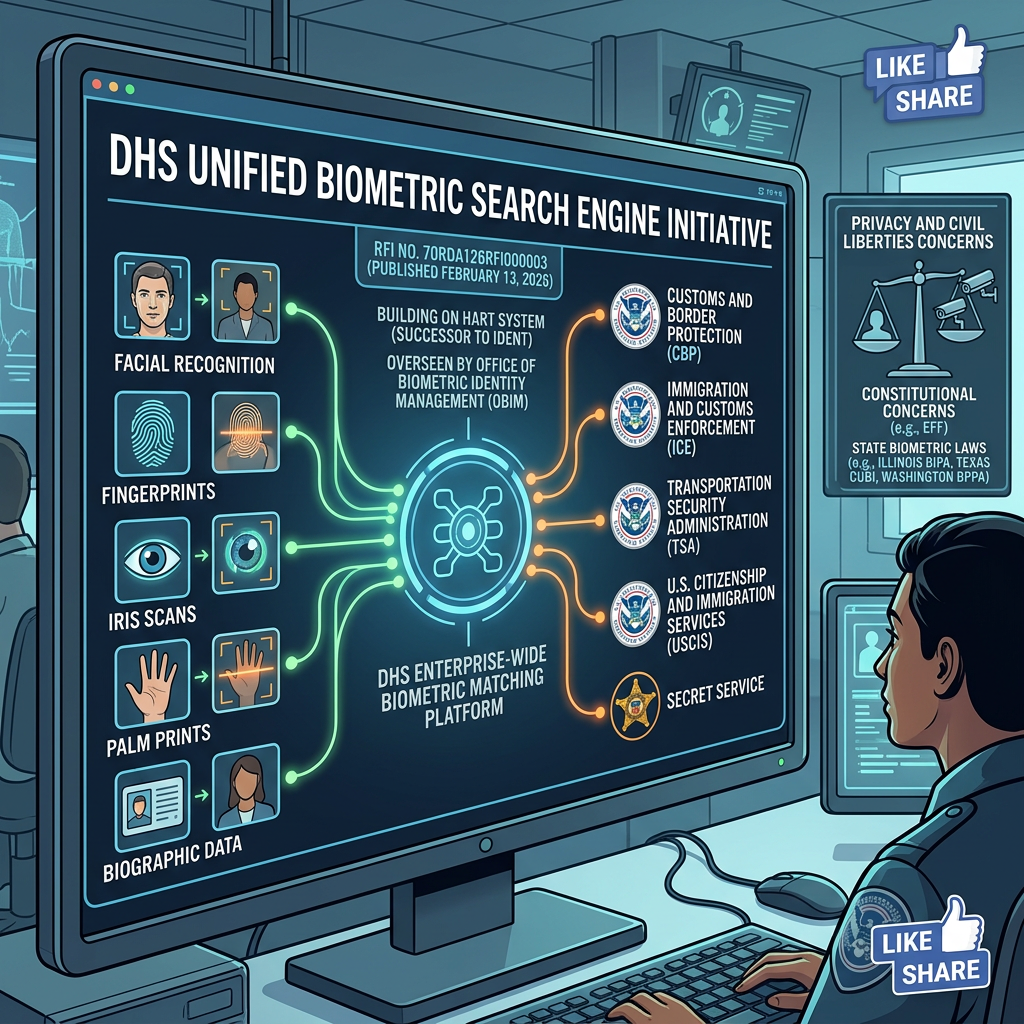
DHS biometric search dashboard on monitors, showing facial, iris, palm, and fingerprint scanning graphics.
March 3, 2026
AllTech IT Solutions explains how the new DHS biometric search system impacts SMB cybersecurity, compliance, and identity risk exposure. Call 205-290-0215 today!
A woman holding a laptop working in a dark server room.
February 20, 2026
AllTech IT Solutions explains how proactive IT support helps prevent downtime, improve security, and keep business systems running efficiently. Call 205-290-0215 today!